
ERP for Manufacturing: What to Check So Your Rollout Doesn't Fail (2026)
 Siddharth JambukiyaOdoo Techno-Functional Consultant




Your last ERP did not fail because the software was bad. It failed because the rollout was.
Manufacturing is where ERP projects break most often. Panorama Consulting's 2025 research found that 73% of discrete-manufacturing ERP projects miss their objectives, with cost overruns averaging well over the plan. The pattern is almost always the same: the demo looked great, then the shop floor met real routings, messy data, and no training.
This guide is a practical checklist for choosing an ERP for the manufacturing industry that survives contact with your plant, whether you run a small manufacturing company or a multi-plant operation, especially if a past rollout already stalled.
What is an ERP for manufacturing?
An ERP for manufacturing is software that runs production, inventory, purchasing, quality, and accounting on one connected system. Instead of Excel for planning, a separate tool for stock, and accounts in yet another, everyone works from a single live source of truth.
The difference from generic ERP is the shop floor. A manufacturing ERP carries material requirements planning (MRP), bills of materials, work orders, routings, and quality checks, so a sales order flows through to a production plan, a purchase order, and a finished, costed unit without re-keying.
This is also where ERP differs from MRP: standalone MRP software plans materials and production, while a full manufacturing ERP wraps MRP together with inventory, purchasing, quality, and accounting on one system.
What manufacturing ERP software actually runs
A manufacturing ERP ties together the core functions that used to live in separate tools, so the plant floor and the back office stop working from different numbers. The systems worth buying go beyond storage: they add real MRP, quality, and traceability, and connect purchasing to the wider supply chain.
Module | What it does |
MRP and production planning | Turns demand into a build plan, work orders, and material needs |
Bills of materials and routings | Defines what goes into each product and the steps to make it |
Inventory and warehouse | Tracks stock, lots, and movements across plants in real time |
Quality control | Ties inspections and checkpoints to work orders, with traceability |
Purchasing | Raises POs from real shortages, at the current vendor price |
Accounting and costing | Values inventory and reports true product cost, not estimates |
Why manufacturing ERP rollouts fail
Manufacturing ERP projects rarely fail on features; they fail on the plant reality the software has to model. Panorama's post-mortems point to internal factors, not the vendor's code, in 60 to 70% of collapses.
Routings that don't match the floor: the ERP is configured to an idealized process, and operators quietly go back to spreadsheets.
Dirty or missing data: BOMs, stock counts, and vendor prices are wrong at go-live, so no one trusts the numbers.
Scope creep: the project grows until the timeline slips past a year and momentum dies.
No change management: staff are handed a new system with no training; adoption never happens.
Big-bang go-live: everything switches at once with no rehearsal, and a bad cutover stops production.
The fix is not a fancier product. It is a disciplined rollout, and the one factor Panorama found most predictive of success is formal change management, which made projects six times more likely to meet their goals.
The 8-point ERP checklist: what to check so your rollout doesn't fail
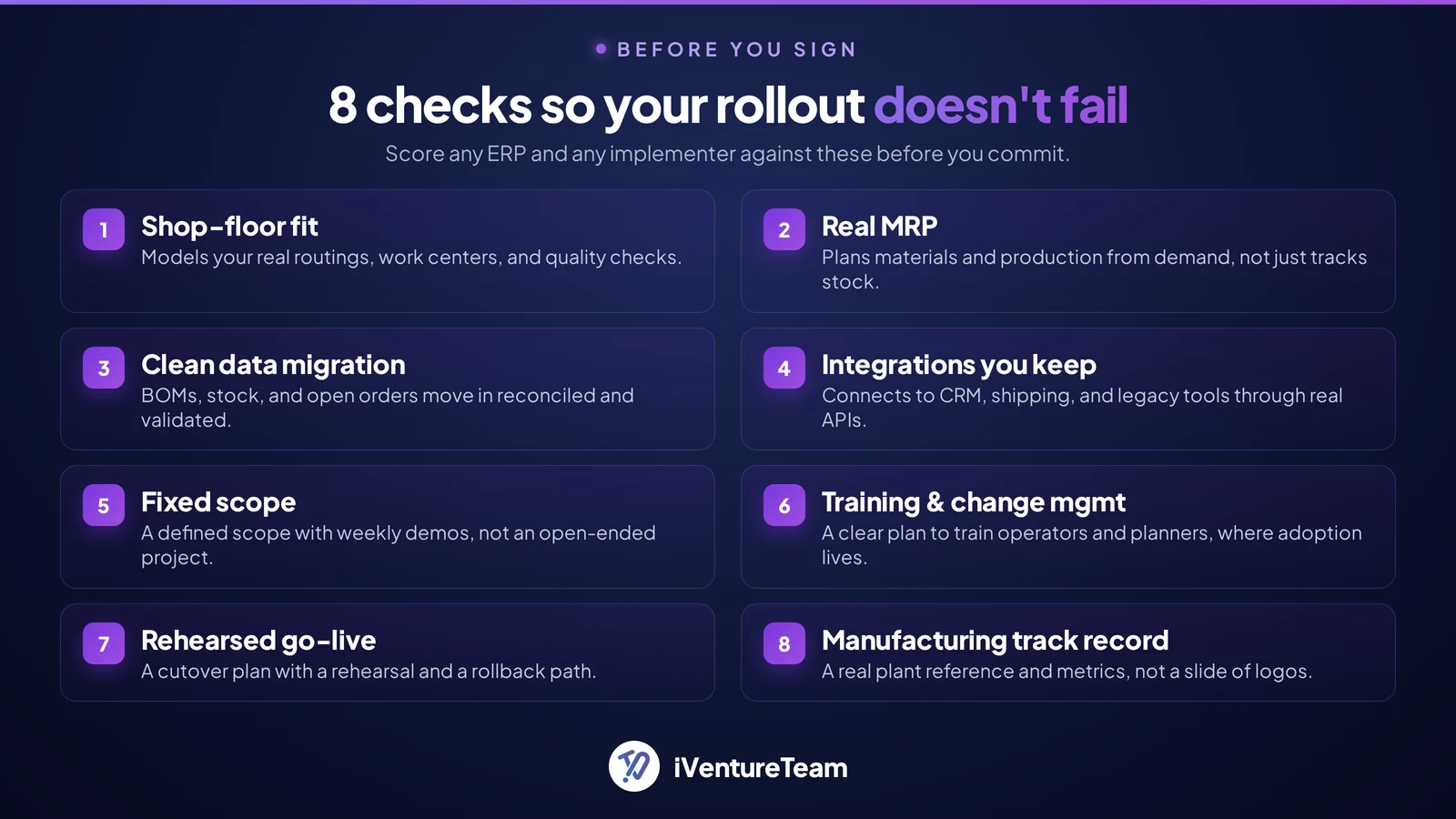
Score any ERP and any implementer against these eight checks before you sign. They map directly to the reasons rollouts fail, so a weak answer on any of them is a warning.
1. Shop-floor fit: Confirm the system models your real routings, work centers, and quality checks, not a generic template.
2. Real MRP, not just inventory: Make sure it plans materials and production from demand, not only tracks stock after the fact.
3. A written data-migration plan: BOMs, stock, and open orders must move in clean and reconciled, with a validation step.
4. Integrations to what you keep: If CRM, shipping, or a legacy tool stays, confirm the ERP connects to it through real APIs.
5. Fixed scope and timeline: A defined scope with weekly demos beats an open-ended project that drifts past a year.
6. Training and change management: Ask exactly how operators and planners will be trained, because adoption is where projects live or die.
7. A phased or rehearsed go-live: A cutover plan with a rehearsal and a rollback path protects production on day one.
8. A track record in manufacturing: Ask for a plant reference and real metrics, not a slide of logos.
Match the system to your process: discrete vs process, cloud vs on-premise
Pick the ERP that fits how you actually make things, and how you want to run it. Two choices matter most.
Discrete vs process manufacturing: discrete builds countable units from BOMs and routings (machinery, electronics); process makes formulas and batches (food, chemicals). Confirm the ERP is built for yours.
Cloud vs on-premise: cloud-based ERP systems for manufacturing scale fast and update continuously with less IT overhead; on-premise gives more control but more maintenance. Most mid-market manufacturers now choose cloud.
Your sub-industry: ERP for food and beverage manufacturing must handle recipes, lot traceability, and expiry, while ERP for electronics, contract, or custom manufacturing needs flexible BOMs and job-level costing. Confirm the system fits your niche, not just manufacturing in general.
How Long Does It Take to Implement a Manufacturing ERP, and How Much Does It Cost?
A focused manufacturing ERP can go live in a few months, not years, and cost is driven by scope, integrations, and data work far more than license price.
Timelines stretch when scope is open-ended; a fixed-scope, single-plant rollout can go live in roughly 8 to 12 weeks. For a realistic budget, cost depends on modules, plants, and customization, so a scoped quote beats any single figure. See our Odoo implementation cost guide for how the drivers break down.

The payoff of getting it right
A manufacturing ERP that lands well gives you live visibility, tighter inventory, faster closes, and lower cost, all from one source of truth. That is what separates the best ERP solutions for manufacturing from a glorified database.
Live production visibility: managers see WIP, on-time delivery, and scrap without chasing spreadsheets.
Accurate inventory: system-reconciled stock replaces manual counts and write-offs.
Faster month-end: one costed system closes the books in days, not weeks.
Lower cost to serve: fewer errors, less expediting, and headcount freed from manual reconciliation.
A base for AI: clean, connected data is the foundation for demand forecasting and other AI use cases.
How iVentureTeam approaches manufacturing ERP
With proven Odoo implementation services, we help manufacturers transform their operations through production-grade MRP, quality management, and successful ERP migrations, including complex recovery projects after failed implementations.
Our approach is a short diagnostic, a fixed scope with weekly demos, and a rehearsed cutover, exactly the discipline the failure data points to. We build Odoo for the manufacturing industry around your real routings and connect it to the tools you keep.
Handling Comercial, a three-plant industrial manufacturer, had already scrapped two ERP attempts. A regional partner and a SAP B1 reseller both slipped past a year, and leadership had lost faith in ERP vendors.
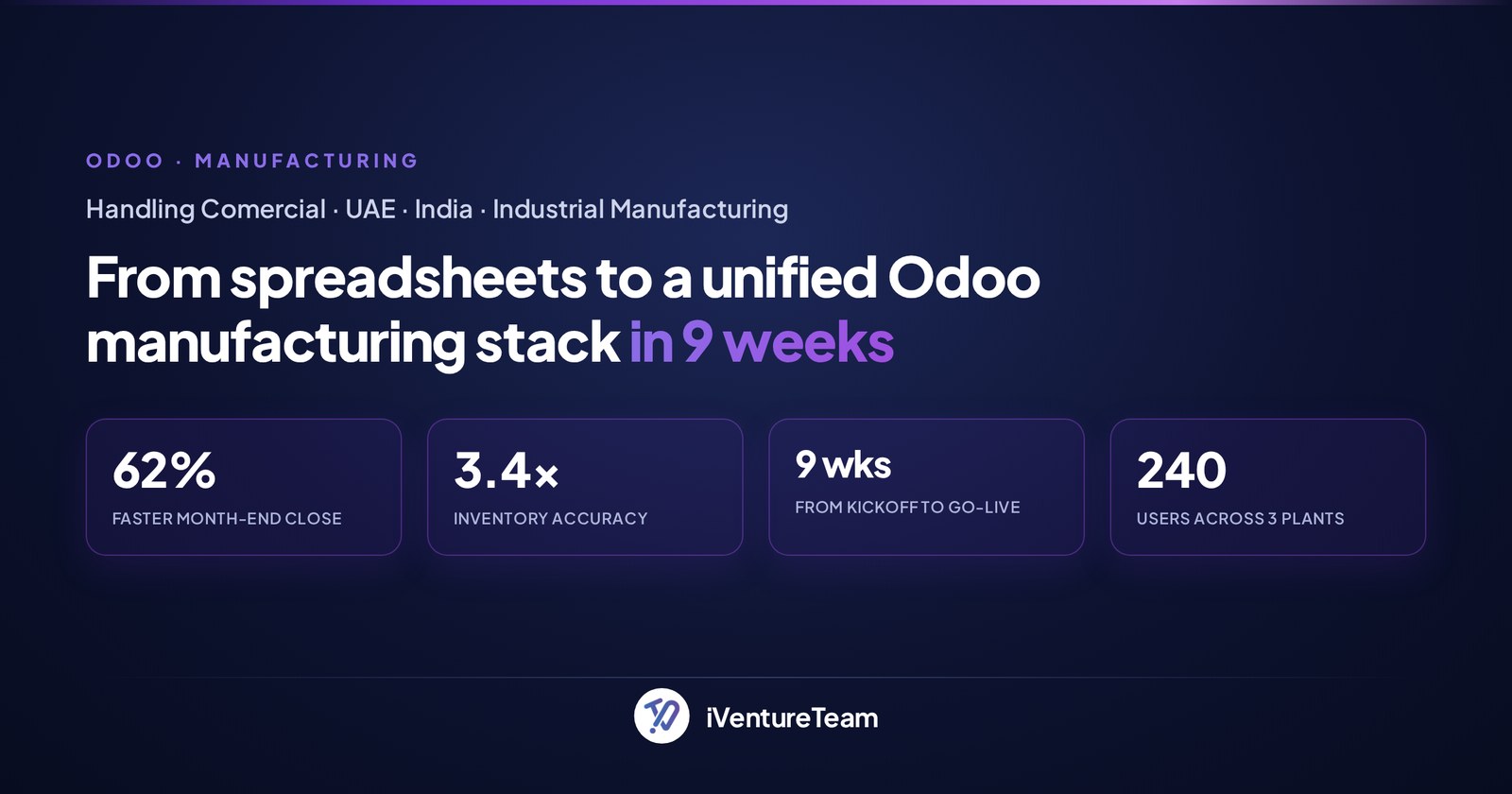
We ran a one-week diagnostic, mapped 47 processes, and took them live on Odoo across three plants in nine weeks, with zero production downtime. Month-end close dropped from 11 days to 4.2, and stock accuracy moved from a manual 62% to a system-reconciled 99.7%.
Within a year the plant had cut roughly $240k in inventory write-offs and laid the ground for AI-driven demand forecasting. The rollout worked because the process was disciplined, not because the software was magic.
Conclusion
An ERP for manufacturing is only as good as the rollout behind it. The software is rarely the reason projects fail; scope, data, and change management are.
Screen every system and every implementer against the eight checks, insist on a fixed scope and a rehearsed go-live, and ask for real plant metrics. Do that and your next ERP becomes the system your floor trusts, not the one you have to rescue.
Ready to get your manufacturing ERP right this time?
You do not need a year-long program to start. In one free scoping call, we will map your plant's processes, flag the risks that sink rollouts, and size a fixed-scope path to go-live.
Book a free manufacturing ERP scoping call with our team.
Frequently Asked Questions about ERP for Manufacturing
What is an ERP system in manufacturing?
+
An ERP system in manufacturing is software that runs production, inventory, purchasing, quality, and accounting on one connected platform. It plans materials and work orders from demand, tracks stock in real time, and reports true product cost, so the shop floor and back office share one source of truth.
What does ERP stand for in manufacturing?
+
ERP stands for enterprise resource planning. In manufacturing it means planning and running resources (materials, machines, people, money) through a single system, built around MRP, bills of materials, routings, and quality control.
Why do manufacturing ERP implementations fail?
+
Most fail on scope, data, and change management rather than the software. Panorama Consulting attributes 60 to 70% of ERP failures to internal factors such as poor requirements, dirty data, and no training. Formal change management makes a project far more likely to succeed.
How long does a manufacturing ERP take to implement?
+
A focused, single-plant rollout can go live in roughly 8 to 12 weeks with a fixed scope. Multi-plant or heavily customized projects take longer. Timelines slip most when scope is open-ended, so a defined scope with weekly demos keeps it on track.
How much does an ERP for manufacturing cost?
+
ERP software for manufacturing is priced by scope, not by a sticker figure. Cost depends on the number of modules, plants, integrations, and customization, not just license price. Data migration and process work usually drive the budget more than the software. A scoped quote for your plants beats any single published figure.
What is the difference between discrete and process manufacturing ERP?
+
Discrete manufacturing ERP builds countable units from bills of materials and routings, such as machinery or electronics. Process manufacturing ERP handles formulas and batches, such as food or chemicals. The right ERP is built for your production type, so confirm the fit before you buy.
What is the difference between MRP and ERP in manufacturing?
+
MRP (material requirements planning) plans what to make and buy from demand. A manufacturing ERP includes MRP but adds inventory, purchasing, quality, and accounting on one platform, so MRP is one part of a full ERP, not a replacement for it.
Ready to put this into action?
Talk to iVentureTeam about Odoo, AI automation, or custom development — get a free, no-obligation consultation.
Free Odoo tools
All tools- Odoo Health CheckVersion, modules, findings and upgrade cost
- Odoo App SelectorWhich apps you need, by industry
- Odoo Project EstimateIndicative cost and timeline in minutes
- Odoo Implementation Cost CalculatorImplementation cost and timeline, in minutes
- Odoo Migration Cost CalculatorVersion jump or legacy ERP, priced in minutes
Continue reading

Over-Customized Odoo: Upgrade Options When You Are Stuck on an Old Version

Odoo Upgrade Verification: Problems That Do Not Surface Until Month-End
